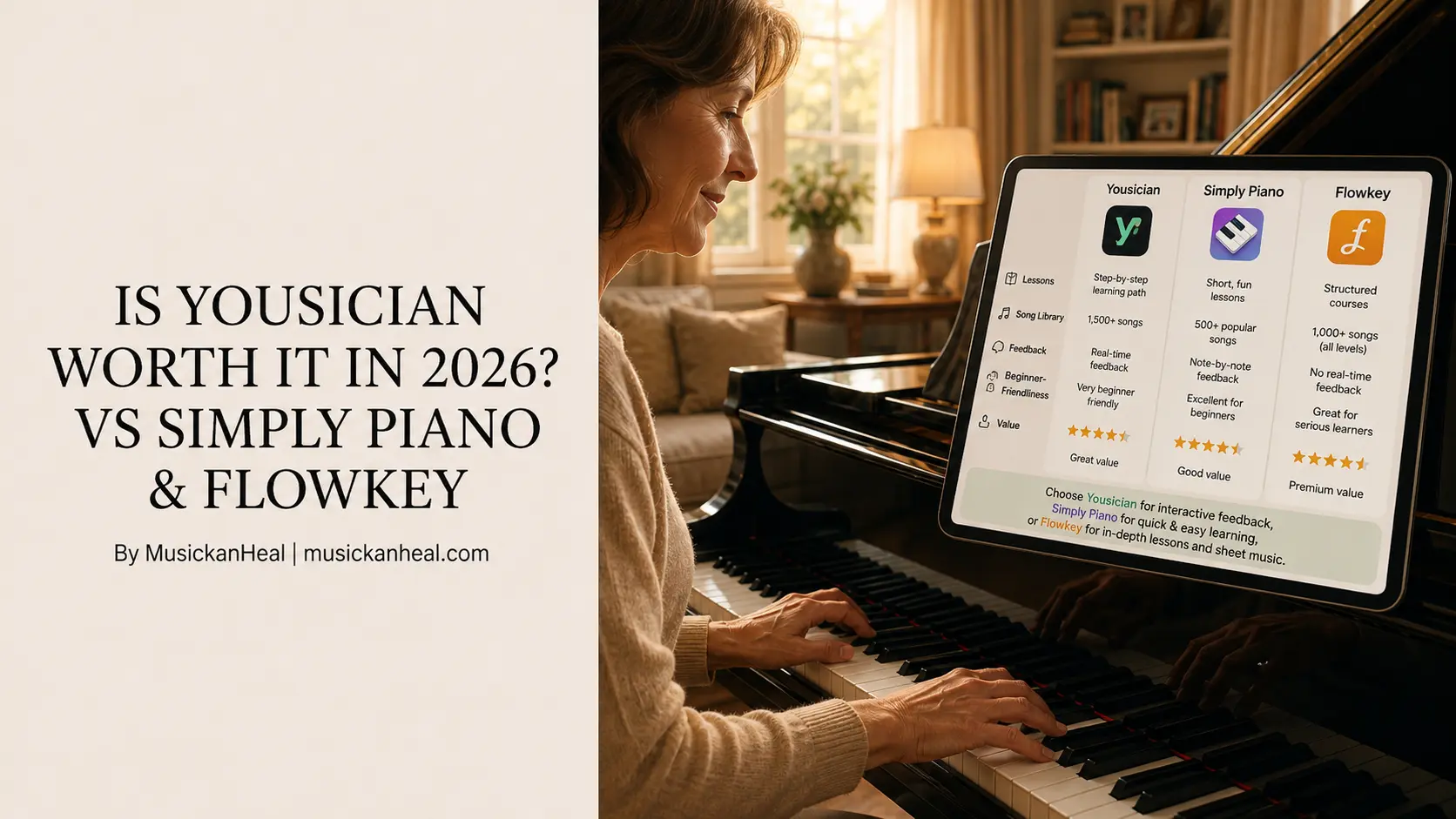
Is Yousician Worth It in 2026? vs Simply Piano & Flowkey
Is Yousician worth it? That question shows up constantly in piano forums, Reddit threads, and app store reviews — usually from someone who just discovered the free tier and wants to know if they need to upgrade.
Here is the direct answer: it depends on which version you are asking about.
Yousician’s free tier exists. It gives you 15 minutes of practice per day, permanently, with no credit card. That is more than most people expect. But whether those 15 minutes build anything real and whether the paid upgrade justifies itself against Simply Piano or Flowkey is a different question—and the answer is not what most comparison articles tell you.
This article breaks down all three apps honestly: what each free tier actually gives you, what you pay for when you upgrade, and who should skip all of them entirely.
What “Free” Actually Means for Yousician, Simply Piano, and Flowkey
Not all free tiers are equal. Before comparing features, understand what you actually get without paying.
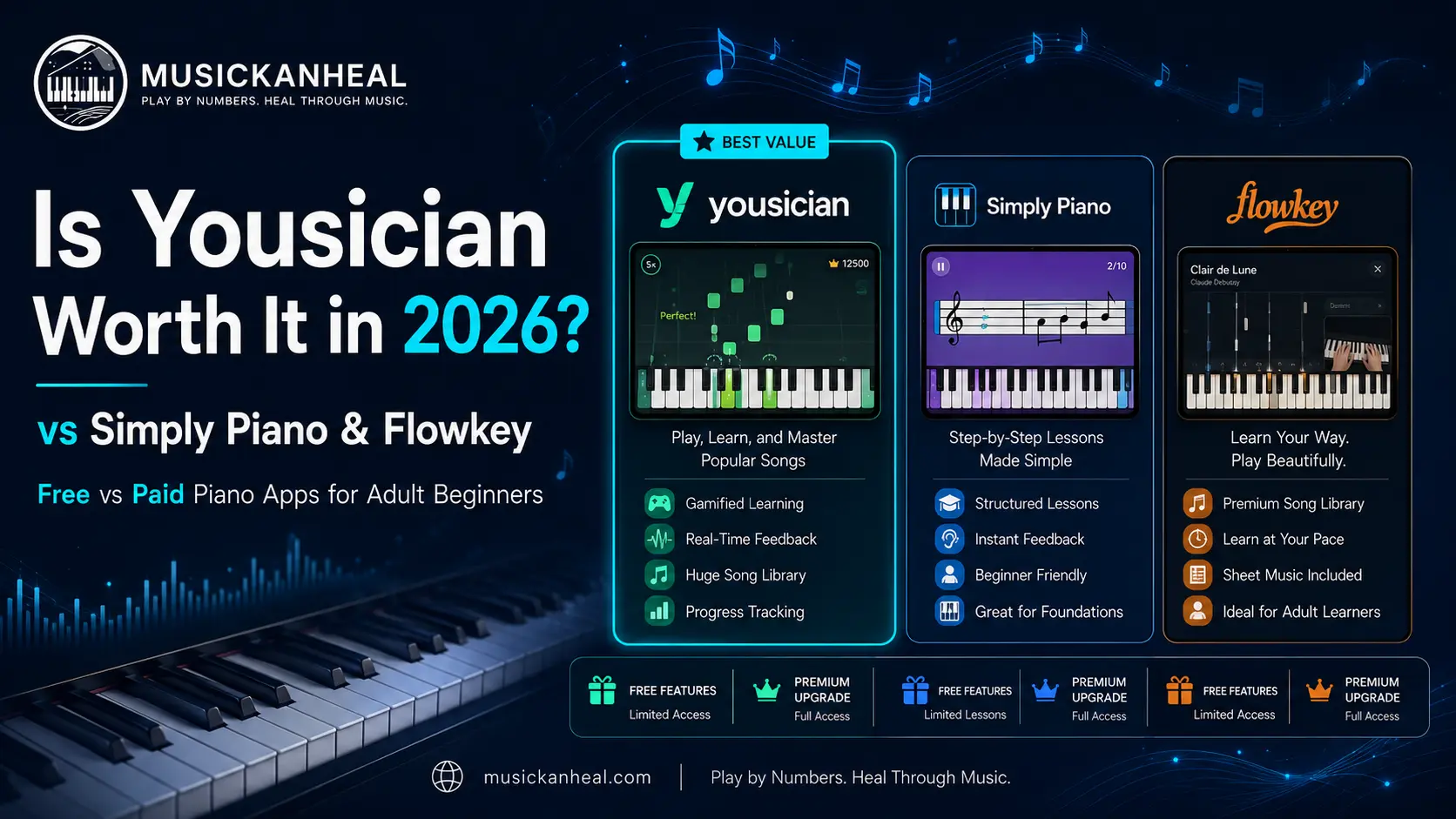
Yousician gives you 15 minutes of practice per day on a permanent free account. No trial expiry, no credit card. You earn those 15 minutes fresh each day. Once you hit the limit, the app locks until tomorrow. It sounds generous until you realize that 15 minutes is roughly the length of one serious practice warm-up—not enough to build the kind of repetition that actually improves playing.
Flowkey offers 8 songs permanently on a free account, plus a 7-day full trial when you first sign up. The 8 free songs include recognizable pieces like “Hallelujah” and “Für Elise.” After the trial, those 8 songs remain yours to practice indefinitely. That is a smaller catalog than Yousician’s daily allowance, but you can go deeper on specific pieces rather than being cut off mid-session.
Simply Piano offers only a time-limited trial — typically 7 to 14 days — with no permanent free tier at all. Once the trial ends, you pay or you stop. For a beginner who wants to test whether piano app learning works for them before committing money, Simply Piano gives the least runway of the three.
Is Yousician Worth It for Piano Specifically?
This is where most reviews go soft. Here is the direct answer.
Yousician is a multi-instrument platform. It was built around a guitar. The company started with an app called GuitarBots, rebranded to Yousician, and has served over 25 million users across guitar, bass, ukulele, vocals, and piano. The piano is one of five instruments, not the main event—and the depth of content reflects that.
For guitar, Yousician’s gamified structure—falling tabs, accuracy scores, and weekly leaderboards—maps well onto how guitarists practice chords and riffs. For piano, the same falling-note format produces a shallower learning experience. Multiple 2026 reviews from hands-on testers confirm that piano-specific content has less pedagogical depth than dedicated piano apps. One reviewer from Practis who tested both the iOS app and web version in early 2026 put it plainly: Yousician’s piano product is worth trying if the style keeps practice moving, but a piano-only adult learner should compare it carefully against more piano-specific tools before committing to a subscription.
What Yousician does well for piano:
- Real-time note detection via microphone — reasonably accurate on single notes.
- Full platform access: PC, Mac, iOS, Android — more than either competitor.
- Gamification that genuinely builds daily practice habits.
- 9 curriculum levels in Classical and Pop themes.
- Useful if you want to learn guitar alongside piano under one subscription.
Where it falls short:
- Lessons advance without revisiting material—topics covered once and moved on.
- You learn exercises, not songs—the format is closer to drills than playing.
- Chord detection via microphone is inconsistent in noisy rooms.
- Technique, posture, and musical expression get no attention whatsoever.
- The 15 min/day free cap makes consistent habit-building nearly impossible without paying.
Is Yousician worth it at the paid tier? At $180/year for all instruments, it becomes more defensible. For piano alone, the value case is weak.
Simply Piano vs Flowkey: Which Paid App Actually Wins?
If you have decided to pay, the real comparison is between these two.
Simply Piano (~$120–$170/year) has the best acoustic piano note detection on the market. JoyTunes spent years refining the microphone technology, and in a quiet room with a reasonably tuned piano, it is close to perfect — including chords. That matters for anyone playing an acoustic instrument without a MIDI connection. The onboarding is designed to get an absolute beginner playing a recognizable song in under 30 minutes, which it reliably delivers.
The ceiling, though, is real. Simply Piano is designed for beginners, and it shows once you pass the intermediate threshold. The gamified structure keeps you moving forward, but the app cannot see your hands, correct your posture, or give feedback on musical expression. You learn which keys to press at which time—not how to play piano with control or musicality. One detailed 2026 teacher review noted it is worth the subscription for the first three to six months, but the curriculum does not have the depth to justify the price long-term after that.
Simply Piano also has no desktop or web version. It runs on iOS and Android only. If you want to practice on a laptop with a keyboard connected, this eliminates Simply Piano entirely.
Flowkey (~$120/year on annual plan) serves a different kind of learner. The interface assumes you have some self-motivation and does not push you through a prescribed path. The Wait Mode — which holds the song in place until you play the correct note — is genuinely the best practice feature in any consumer piano app right now. It teaches accuracy without frustration, because the song simply waits. You can loop difficult sections, slow the tempo, and watch a video of a pianist’s hands from above for every piece in the library.
The song library sits at 1,500+ tracks covering pop, jazz, classical, and film music at multiple difficulty levels per song. You can start a simplified version of “Clocks” by Coldplay, advance to the intermediate arrangement, and eventually tackle the full version—all within the same app. That progression model keeps learners inside Flowkey longer than most competing apps.
Flowkey’s weaknesses are real: limited music theory instruction, no posture or technique feedback, and some reviewers note the lesson progression between difficulty levels can feel inconsistent. But for an adult who learns best by playing songs they actually want to play, Flowkey is the clearest value in this category.
Free vs. Paid Piano Apps: The Honest Verdict
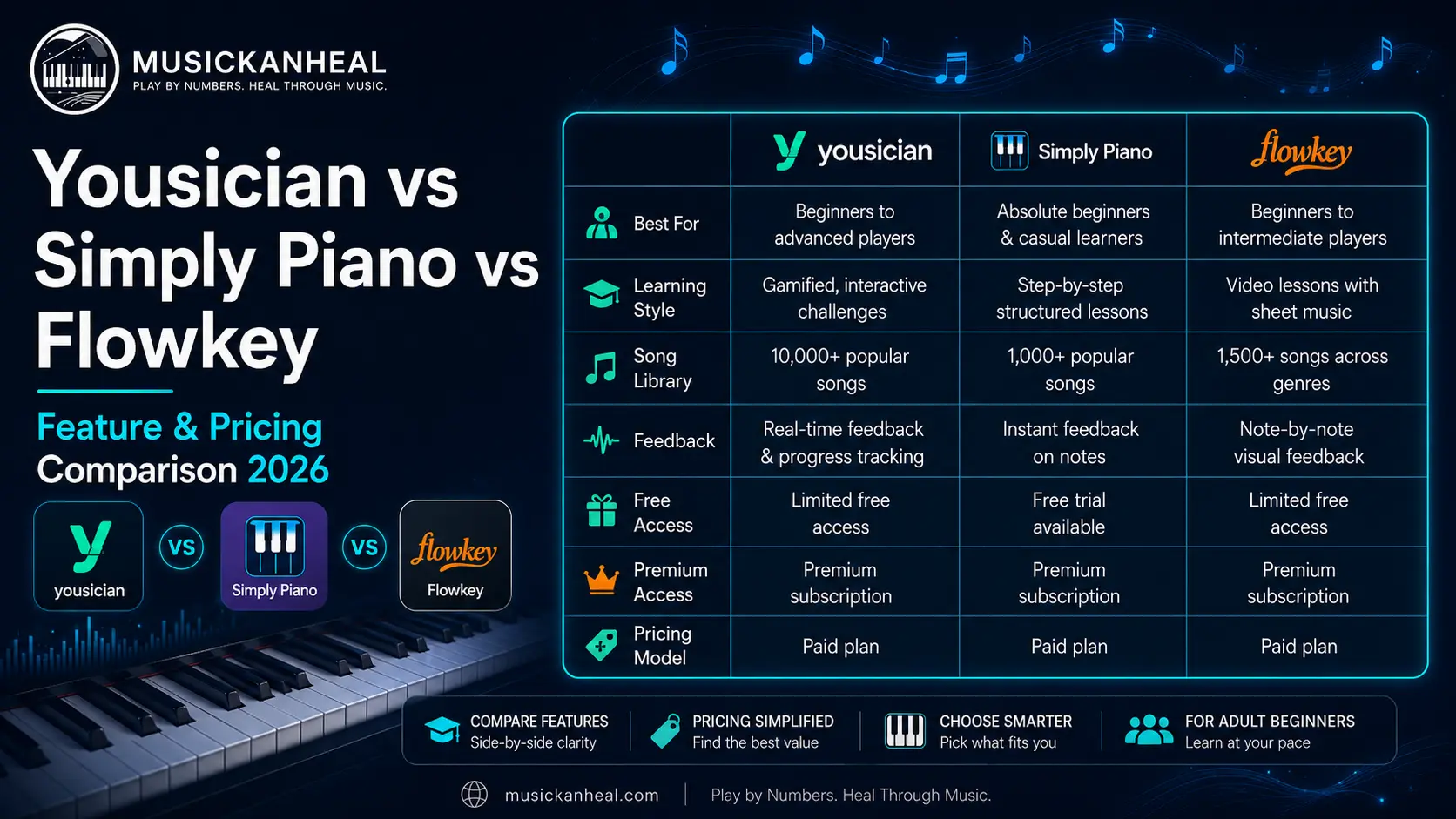
Here is where each app sits once the marketing language is stripped away.
If you genuinely cannot pay:
Use Yousician’s free tier for 15 minutes daily while you decide if piano is for you. Combine it with Flowkey’s permanent 8 free songs for deeper work on specific pieces. For genuinely free structured lessons, Hoffman Academy on YouTube offers real beginner content with zero cost and no daily time cap — something none of these three apps match for free learning. MusicKanHeal also maintains a free piano app resource guide that covers your actual options before spending anything.
If you are paying for one app:
Flowkey at ~$120/year is the strongest value for most adult beginners. The song library is the deepest, the Wait Mode is the most useful practice tool, and the annual price matches Yousician’s paid tier with noticeably better piano-specific depth.
If you are a total beginner who needs structure and hand-holding:
Simply Piano’s trial is worth taking — all 14 days of it. Use that time seriously. If you are still engaged and making progress at day 10, the annual plan is defensible for your first six months of learning.
If you are considering Yousician Premium for piano only:
Do the 7-day trial first. Play piano specifically, not another instrument. If the falling-note format holds your attention and the daily lesson structure keeps you coming back, upgrade. If you find yourself watching the progress bar fill up faster than your playing improves, save the money.
What All Three Apps Miss — And Why It Matters for Some Learners
Every comparison article covering Yousician, Simply Piano, and Flowkey stops at features and price. Here is what none of them address:
All three apps teach piano through one of two methods: falling notes you chase across a screen or written sheet music notation you decode in real time. Both methods work. But both require either memorizing finger patterns or building reading fluency in a written musical language that takes months to develop from scratch.
For adult learners who tried traditional piano lessons and quit—which describes a large percentage of people searching these app comparisons—the obstacle was usually exactly that: the gap between wanting to play music and the slow grind of learning to read it first.
There is a way to learn piano that sidesteps that gap entirely. The Nashville Number System teaches you to play using numbers rather than written notation. Instead of reading a G chord on a staff, you learn that 5 always sounds like 5 in any key. Session musicians in Nashville have used this system for decades to learn songs fast, transpose on the fly, and play by ear with real musical understanding rather than pattern memorization. It is the method behind the MKH approach to piano learning.
If you have walked away from a piano app before because sheet music felt like a second language you were forced to learn before you could say anything musical—that experience is the signal. The method may be the issue, not your ability or consistency.
For a comparison of Simply Piano, Flowkey, and Skoove that goes deeper into features and which of those three wins for adult learners, the full side-by-side breakdown is here.
Frequently Asked Questions
Is Yousician worth it for piano beginners in 2026?
For beginners who enjoy gamification and want a multi-platform app (PC, Mac, iOS, Android), Yousician Premium is a functional starting point at ~$120–$140/year. However, piano is not Yousician’s primary instrument—it was built around guitar—and the depth of piano-specific content reflects that. Most dedicated piano learners will find Flowkey or Simply Piano more purpose-built for their needs. If you also play guitar or another instrument, Yousician’s Premium+ plan becomes a stronger value as an all-in-one subscription.
What does Yousician’s free tier actually give you?
Yousician’s free tier gives you 15 minutes of practice per day permanently—no credit card and no trial expiry. You also get a 7-day Premium trial when you first create an account. After the trial, the 15-minute daily cap applies. That limit is enough to explore the app’s structure and test whether the gamified format works for your learning style, but it is too short for meaningful skill development on its own.
Is Yousician worth it compared to Flowkey for piano?
For piano specifically, Flowkey is the stronger choice between the two. Flowkey has more piano-dedicated content, a larger song library at equivalent difficulty levels, and a Wait Mode that is more useful for technique development than Yousician’s falling-note format. Flowkey’s annual plan runs ~$120/year—the same price as Yousician Premium for a single instrument. The exception: if you want to learn piano and another instrument under one subscription, Yousician’s multi-instrument plan offers better value.
Can you learn piano using only the free version of these apps?
You can start and explore, but building real skills on a permanently free tier is difficult with any of these three apps. Yousician’s 15-minute daily cap and Flowkey’s 8-song limit both restrict the repetition you need to make progress. The most genuinely useful free piano learning comes from Hoffman Academy’s YouTube channel, which offers structured beginner lessons with no time cap or paywall. Use the free tiers of Yousician and Flowkey to test whether app-based learning works for you, then decide whether to pay or look elsewhere.
Does Simply Piano have a free version?
Simply Piano does not have a permanent free tier. It offers a time-limited trial — typically 7 to 14 days — after which payment is required to continue. The trial is worth using in full, but it is a purchase evaluation period, not a sustainable free learning option. If a free or low-cost starting point is your priority, Yousician’s daily free tier or Flowkey’s 8 permanent free songs give you more ongoing access without committing money.
The Verdict: Which App Is Actually Worth Paying For?
Flowkey wins for most adult piano learners. At ~$120/year, it matches Yousician’s price for a single instrument and surpasses it in piano-specific content depth. The Wait Mode, song library quality, and desktop compatibility make it the most sustainable paid app of the three for anyone who wants to stick with piano long-term.
Simply Piano wins for absolute beginners who need maximum hand-holding, have an acoustic piano without MIDI, and want the most welcoming possible first experience. Use it for the first three to six months, then evaluate whether you have outgrown it.
Yousician’s free tier wins for testing commitment without paying. If you want 15 minutes per day to decide whether you like learning piano through apps before spending anything, the free tier is a legitimate option. Paying for Yousician Premium for piano-only purposes is harder to justify when Flowkey exists at the same price.
If you have tried all of these and found that falling notes or sheet music approaches never quite clicked, the 90-day plan for adult piano learners at MusicKanHeal is built specifically for people who want to play real music without the sheet music learning curve.
All rights are reserved. Copyright 2026 MusicKanHeal | musickanheal.com